Step 1: Navigate to the Overview Tab (1)
- Go to the "Overview" tab in the time report page.
Step 2: Access the Attachment Section (2)
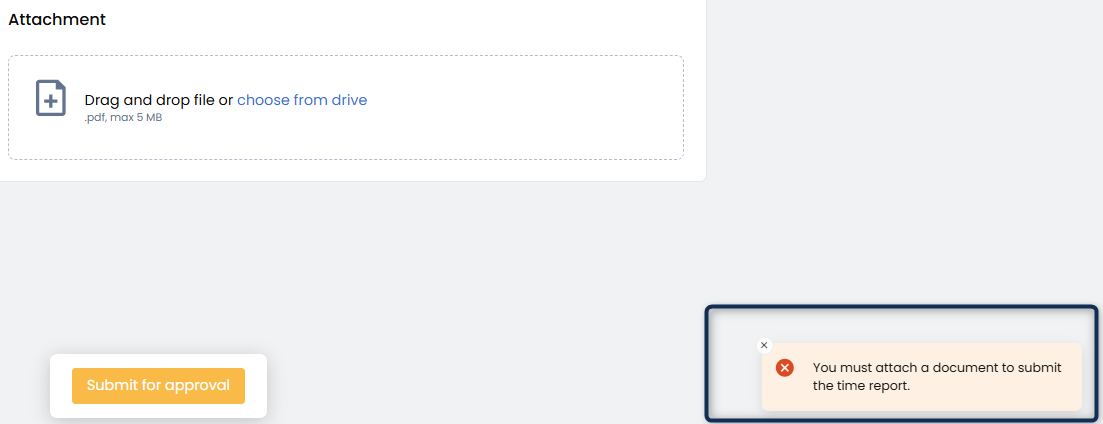
- In the "Overview" tab, navigate to the "Attachment" section.
Step 3: Upload the Time Journal Document
- In the "Attachment" section, you can upload your time journal document in one of two ways:
- Drag and Drop: Drag and drop the document from your file system into the attachment area.
- Choose a File from Your Drive: Click on the file selection button to choose the document from your drive.

Step 4: Confirm and Save the Attachment
- Once a document has been selected, click the "Save" button to attach the document to the time report.
- If you need to cancel the attachment, click the "Cancel" button instead.

Important Note:
- As long as the time report is in "Draft" status, you can remove and change the attachment as needed.
- Any changes to the attachment will not be saved if the time report is submitted or approved.
- Some clients require an attachment to be included when submitting a time report.
- If an attachment is required and none is added, a warning message will be displayed when attempting to submit the time report.
As long as the time report is in “Draft” status, you can remove or replace the attachment as needed.
Changes to attachments cannot be made after the time report has been submitted or approved.